Capture. Edit. Ship.
The high-performance workspace for your screenshots. Built for professionals who value speed and beauty.
Precision tools for modern teams.
Everything you need, nothing you don't. Pure productivity.
Screenshot modes
Window, area, or full screen. Pixel-perfect capture every single time.
Screen recording
Record your entire screen or just a region. Clean MP4 and GIF exports, ready to share.
Beautiful backgrounds
Drop your screenshot on stunning gradients, colors, and textures. Social-ready in one click.
Share to X instantly
Hit share and X opens with your image already attached. One tap to post — zero friction.
OCR / Live Text
Extract text from any screenshot instantly. Copy emails, codes, or paragraphs in seconds.
Free canvas
Draw, annotate, and write directly on your captures. Arrows, text, highlights — make your point clear.
Make your screenshots look like design assets.
- check_circleDynamic gradient backgrounds
- check_circleSoft ambient shadows
- check_circleAdjustable corner radius
- check_circleCustom padding controls
- check_circleAnnotations & highlights
- check_circleRecognize & copy text
- check_circleAdapt the ratio in one click
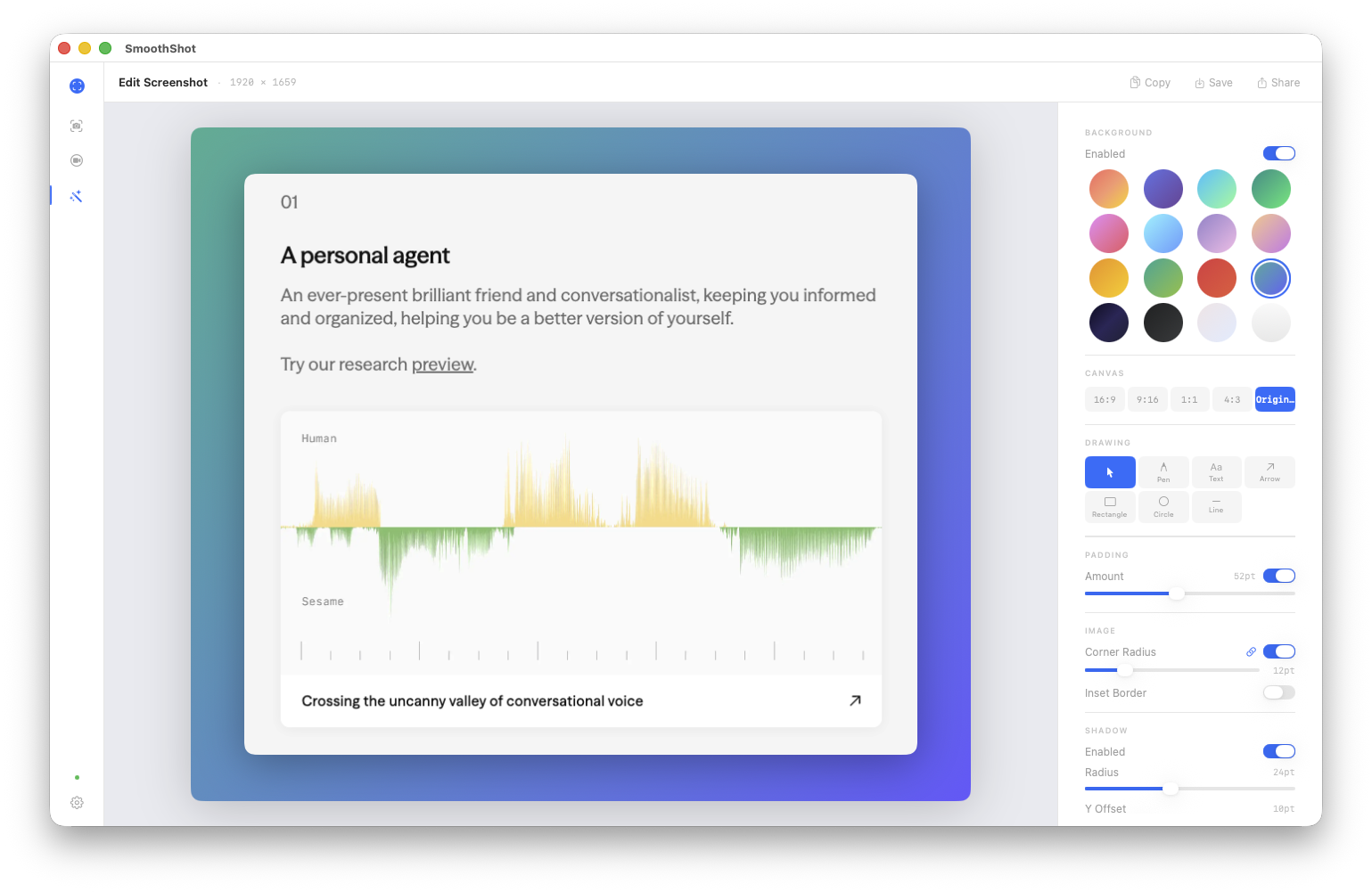
Capture to Clipboard in 3 steps.
Capture
Use shortcuts to snap exactly what you need.
Edit
Add professional styling with one-click presets.
Share
share it with one click, or save it to your macbook
The Roadmap
v1.0 — SmoothShot is here
The full toolkit drops: screenshots, screen recording, OCR, free canvas, beautiful backgrounds, and instant sharing to X. Everything you need to capture and ship, nothing you don't.
Scrolling screenshots
Capture entire pages, long chats, and endless feeds in a single shot. No more stitching screenshots together.
Bento grid layouts
Arrange multiple captures into clean, visual grids. Perfect for changelogs, tutorials, and show-off posts.
Pin screenshots on screen
Keep any capture floating on your desktop as a reference. Always visible, always accessible — like sticky notes for your screen.
Background removal
Strip the background from any capture with one click. Isolate UI elements, icons, or text — clean cutouts, zero effort.
The fastest way to capture and share your work.
100% free. Native macOS app. No cloud.
Your files stay yours. Forever.